VoiceBridge AI joins your Teams meeting as a live interpreter, keeps a transcript of who said what, writes the minutes and emails them the moment the call ends, and turns the action items into tasks in MyTask2Do. One tool, from the first word to the last task.
One interpreter in the call, and the rest takes care of itself — the conversation becomes a transcript, an email, and tasks.
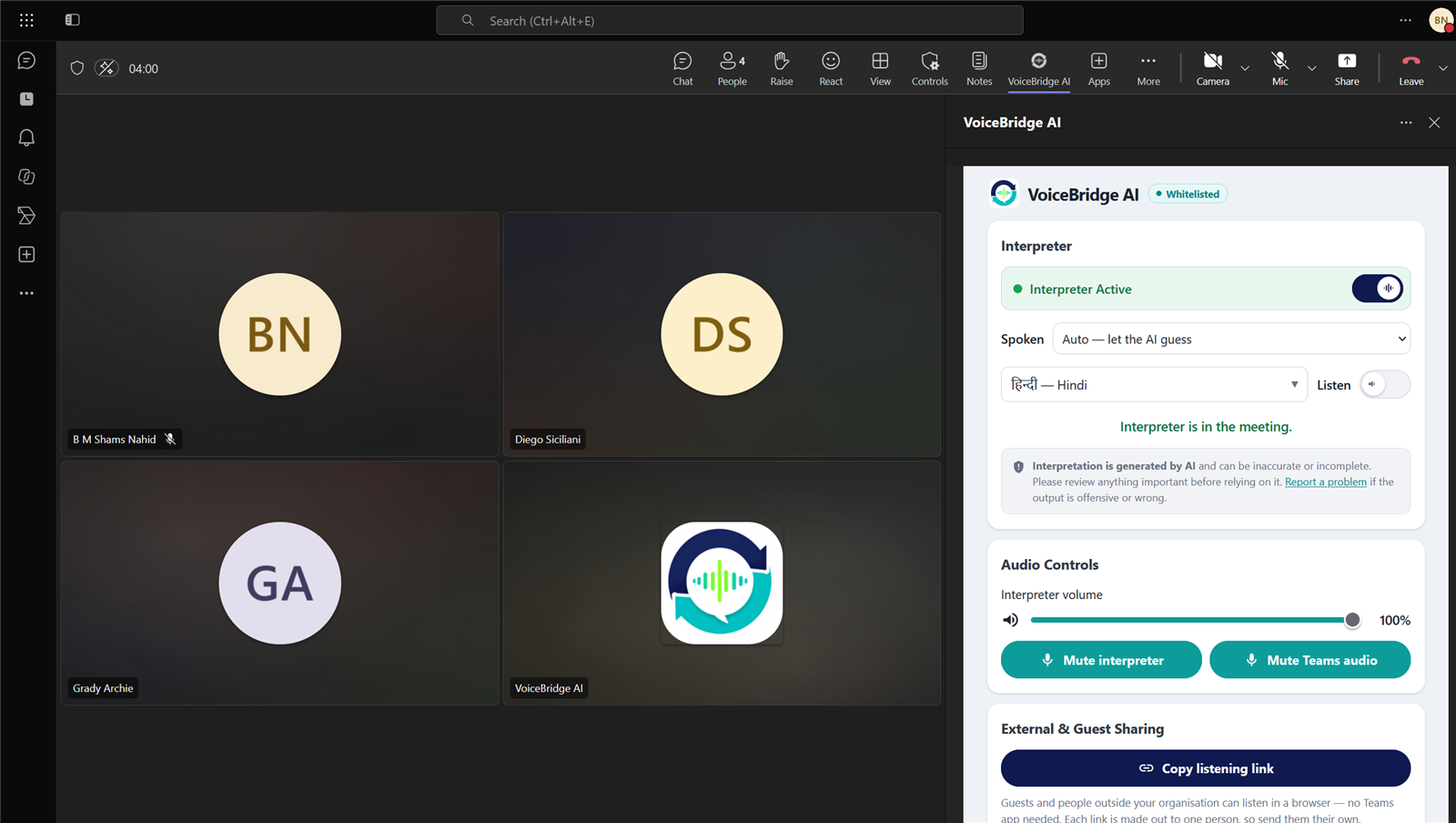
People speak their own language. VoiceBridge AI joins the Teams call and interprets live, so everyone follows in real time — nobody waits, nobody is left out.
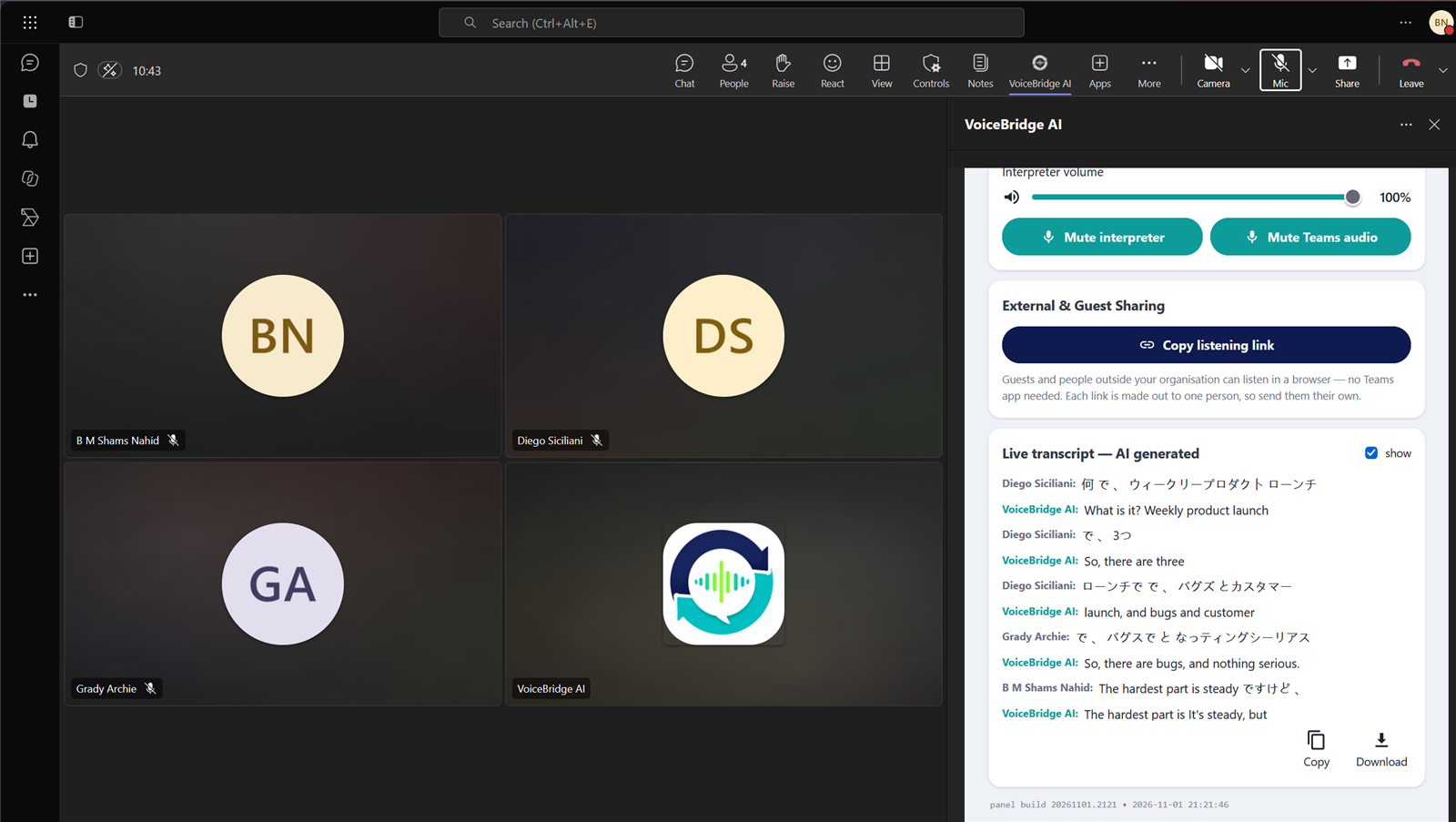
Every turn is captured and attributed to the person who said it, as it happens. The meeting writes itself down while it runs.
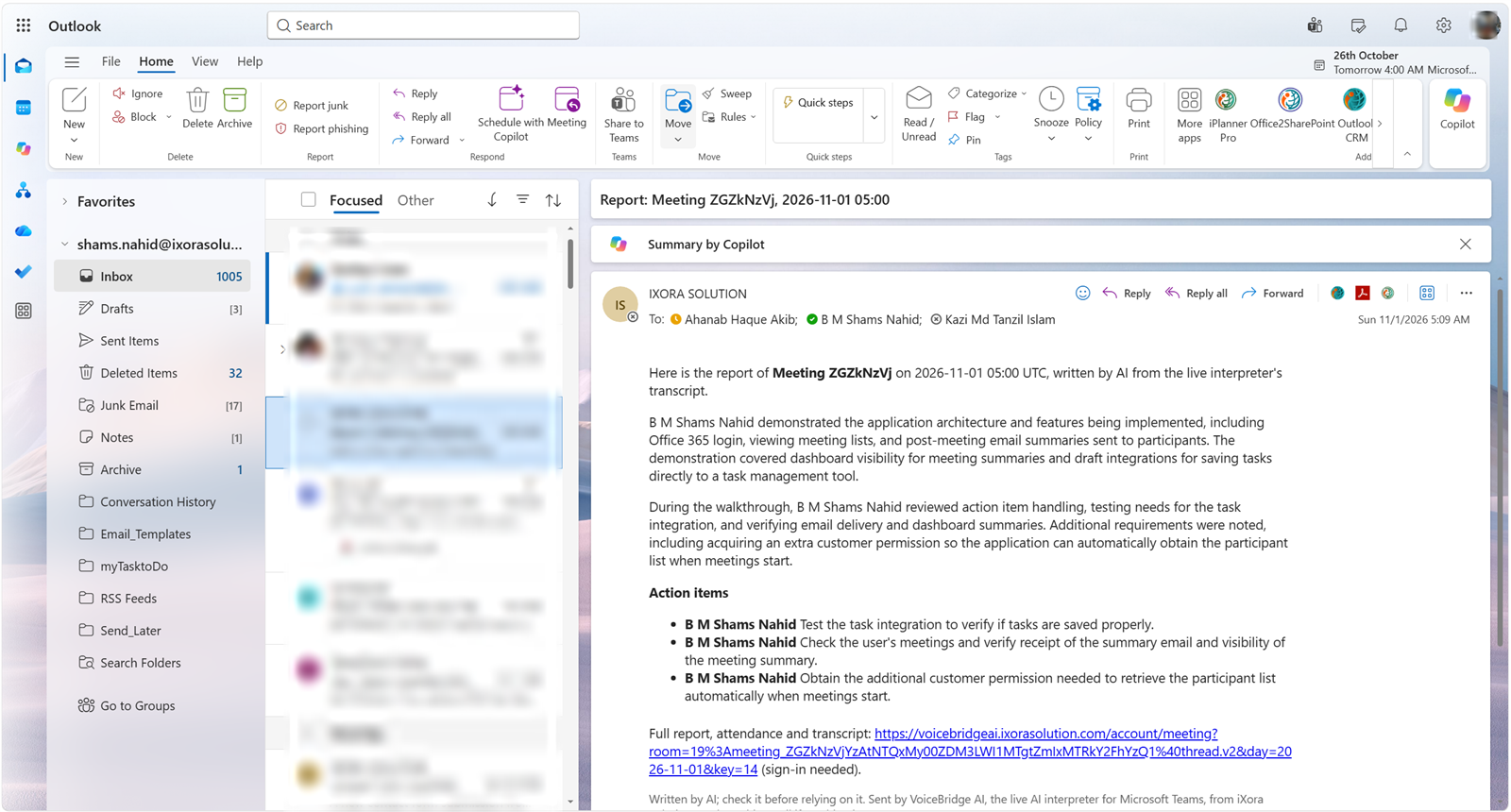
When the meeting ends, AI turns the transcript into minutes — decisions, action items and open questions — and emails them to the attendees. No one writes it up.
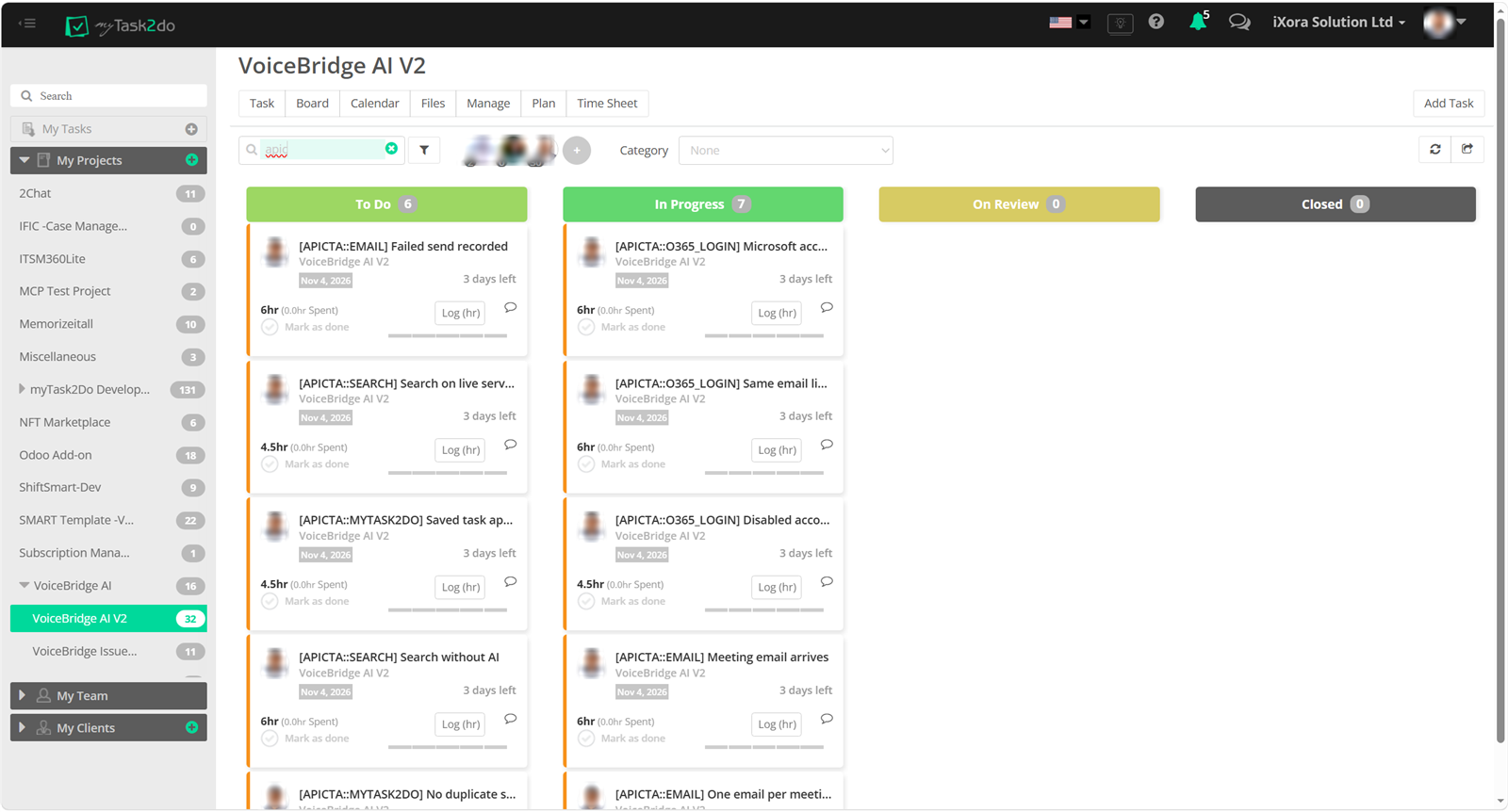
The meeting's action items become real tasks in MyTask2Do — assigned and ready to track, with nothing retyped.
The interpreter lives in the meeting's side panel — no extra window, no separate tool to learn.
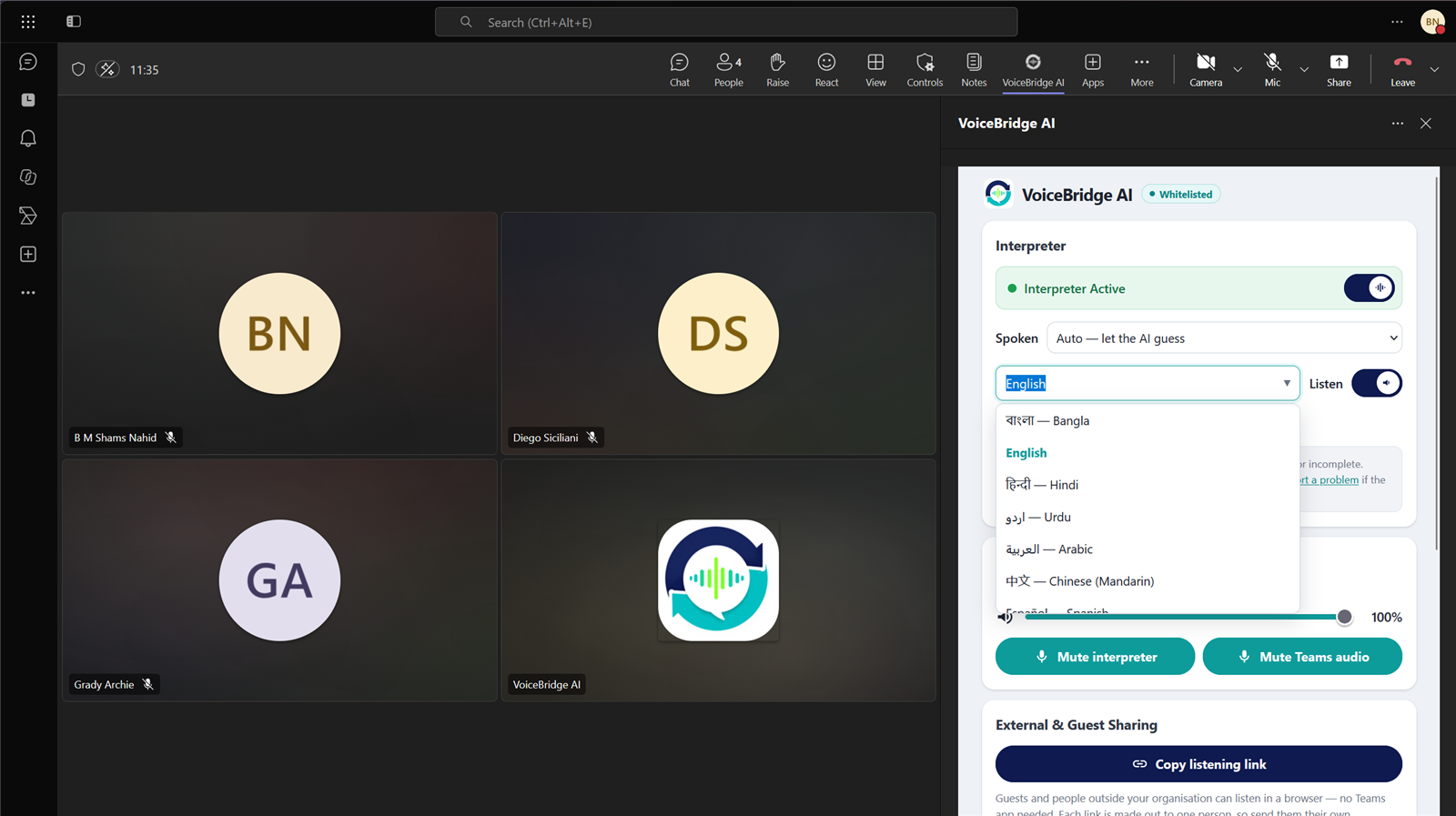
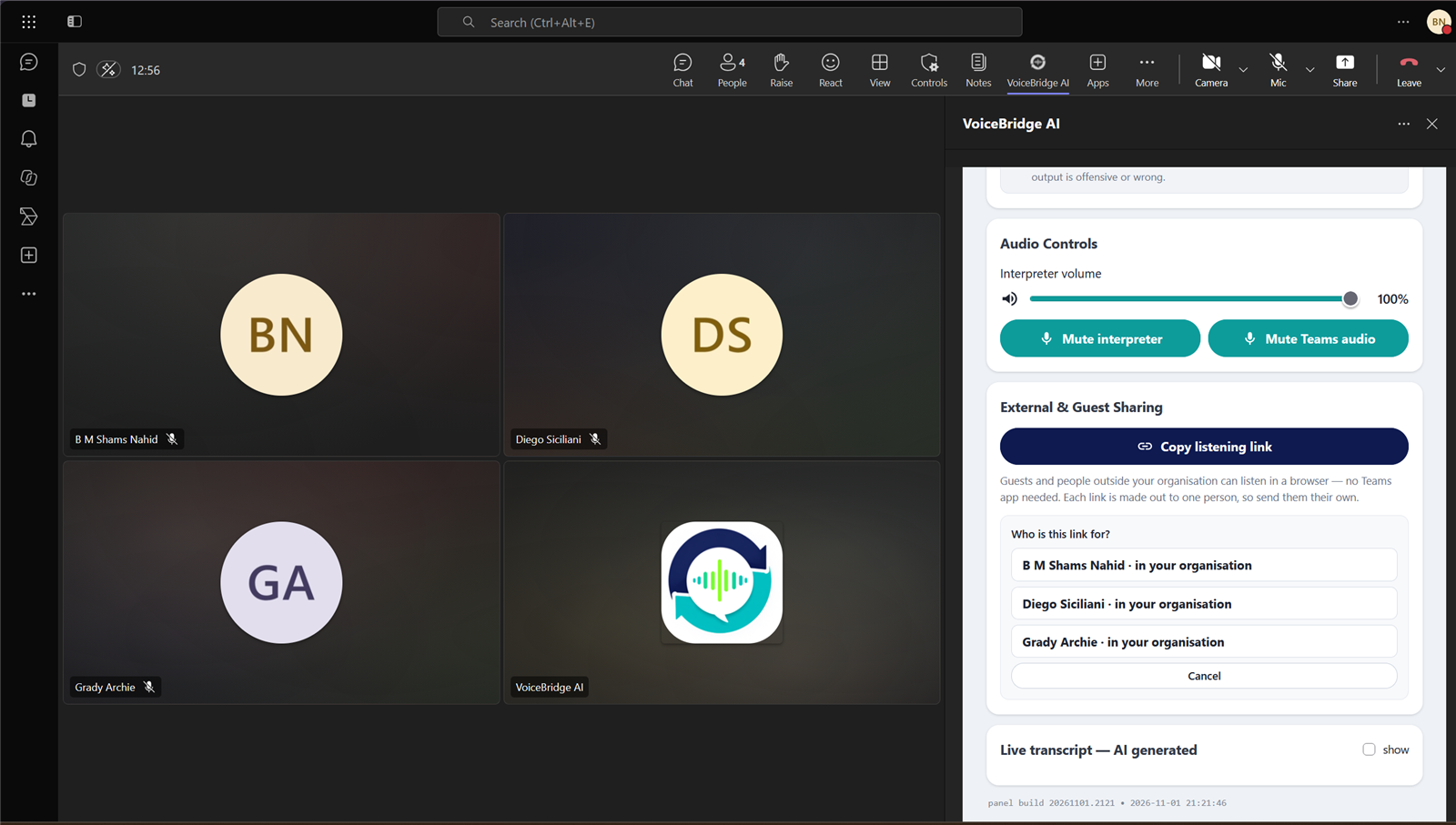
One tool in the meeting. Every attendee decides what they hear — and the record, the minutes and the tasks take care of themselves.
Bangla, Hindi, Arabic, Japanese, Spanish, Swahili and dozens more. Each attendee picks their own — nobody has to change how they speak.
Every line attributed to the person who said it, so you can follow along, catch up after joining late, and copy or download the record afterwards.
One click mutes the original meeting audio, so the interpreter is all you hear. Volume is yours alone to set.
Share one link and anyone outside your organisation can listen in their own language from a browser. No Teams account, no install, no sign-in.
When the meeting ends, AI writes the summary, decisions and action items and emails them to the attendees. Nobody takes notes.
Action items go straight into MyTask2Do as assigned tasks, in the project your team already works in. Nothing is retyped.
Three steps, once per meeting.
Open the meeting, add VoiceBridge AI, and press Bring interpreter in. It joins in about fifteen seconds.
Each attendee chooses from the side panel and switches Listen on. Different people, different languages, same meeting.
Speak the way you always do. Interpreted speech plays back within seconds, the transcript fills in as you go, and the minutes and tasks follow when you hang up.
The conversation turns into a record and into action, on its own.
When the meeting ends, an AI summary — key points, decisions and action items — is emailed to the attendees. No one has to write it up.
Send the meeting's action items straight to MyTask2Do as tracked tasks — assigned and ready, without retyping anything.
Search past meetings in plain language and jump to the one you mean — by what was discussed, not just its title.
When the meeting ends, VoiceBridge AI writes the minutes and emails them to the attendees. This is what lands in their inbox.
Here are the meeting minutes of Weekly sync on 2026-11-01 10:00 UTC, written by AI from the live interpreter's transcript.
The team reviewed delivery for the second phase and agreed the budget before close. Localisation ships first, with the dashboard to follow.
| Task | Responsible person |
|---|---|
| Prepare the phase-two release notes (by Fri) | Yuki Tanaka |
| Send the budget summary to finance | Amina Rahman |
Full minutes, attendance and transcript: Weekly sync (sign-in needed).
Written by AI; check it before relying on it.
Sincerely,
 | VoiceBridge AI Live AI Interpreter for Microsoft Teams | iXora Solution Ltd. E-mail:info@ixorasolution.com Phone:+88 02 41001527 |
Powered by iXora Solution Ltd. · https://ixorasolution.com/
One click sends the meeting's action items into MyTask2Do as real tasks — assigned, with due dates, ready to track.
A sample of what is available. The in-app picker is searchable — type any part of a name.
Built for real meetings, where people, languages and privacy all matter at once.
Interpretation, transcript, minutes and tasks from a single app in the Teams side panel. No recorder, no note-taker, no copy-paste into a task tracker.
One interpreter serves the whole room, yet each person hears their own language at the same time — not a single shared channel.
Interpreted speech plays within seconds and the transcript names who said each line, so the meeting keeps its flow.
People outside the organisation join the understanding from a browser link — no account, no install.
Audio is never recorded, and nothing is used for training or sold.
It lives in the Teams side panel next to the conversation — no second window, no new tool to learn.
Worth being plain about, because it is a meeting and people should know.